Quick Answer
To use VR for product demos, start by identifying where your current demonstrations fall short; typically where products are complex, large, or environment-dependent. Define your delivery format (headset, web-based, or showroom), brief a specialist developer on the specific experience you need, integrate it into your sales process, and track engagement and conversion. Brands using VR demos report up to 30% higher conversion rates and a 22-40% reduction in product returns.
Product demonstrations have always been one of the most effective tools in a marketing team's toolkit. The closer a customer gets to experiencing a product, the more likely they are to understand its value and make a decision.
The problem is that traditional demonstrations have real limits. They require time, logistics, physical access, and the right people in the right place. For complex, high-value, or large products, those constraints become significant.
Virtual reality removes many of those constraints. It allows marketing teams to place a customer inside a realistic product experience without the product needing to be physically present. The result is a demonstration that is scalable, consistent, and available anywhere.
This guide covers how to use VR for product demos: from identifying where it adds value, to building the experience, to measuring whether it is working.
Why VR works for product demonstrations
The core reason VR is particularly effective for product demonstration is presence. When someone puts on a VR headset, they are no longer observing a product from the outside. They are inside an experience. That shift from passive viewer to active participant changes how people process and retain information.
Research from PwC found that people in immersive environments processed information up to four times faster than those using traditional methods, and were 275% more confident in applying what they had learned. While that research focused on training, the mechanism is the same for product marketing: when people explore rather than observe, comprehension comes faster and sticks longer.
For product marketing, this translates into a faster path to purchase. Customers who have experienced a product in VR arrive at sales conversations with fewer questions, stronger conviction, and less hesitation. Companies using VR for product demonstrations have reported:
~30%
higher conversion vs. traditional demos
22-40%
reduction in product returns
4x
faster information processing (PwC)
A survey of buyers found that 45% said the ability to experience a product in AR or VR brought them to a purchase decision faster. For B2B buyers facing longer sales cycles and higher-stakes decisions, that acceleration has a direct commercial impact.
How to use VR for product demos: a step-by-step guide
Adopting VR for product demonstrations is a process, not a single decision. The seven steps below reflect how most organisations successfully move from identifying the opportunity to running an effective immersive demo.
Step 1: Identify the specific problem you are trying to solve
The most effective VR demos are built around a single, clearly defined communication challenge. Not 'we want to use VR', but 'customers struggle to understand how our product behaves in a real environment' or 'we cannot transport our equipment to every sales meeting.' Start there. The more specific the problem, the more focused, and the more effective, the experience will be.
Step 2: Decide whether VR is the right medium
VR works best when a product is complex, environment-dependent, large or difficult to transport, or when the experience of using it is central to its value. If a product can be communicated clearly through a video or a physical sample, VR may not justify the investment. The key question: would experiencing this product directly change how someone evaluates it?
Step 3: Choose your delivery format
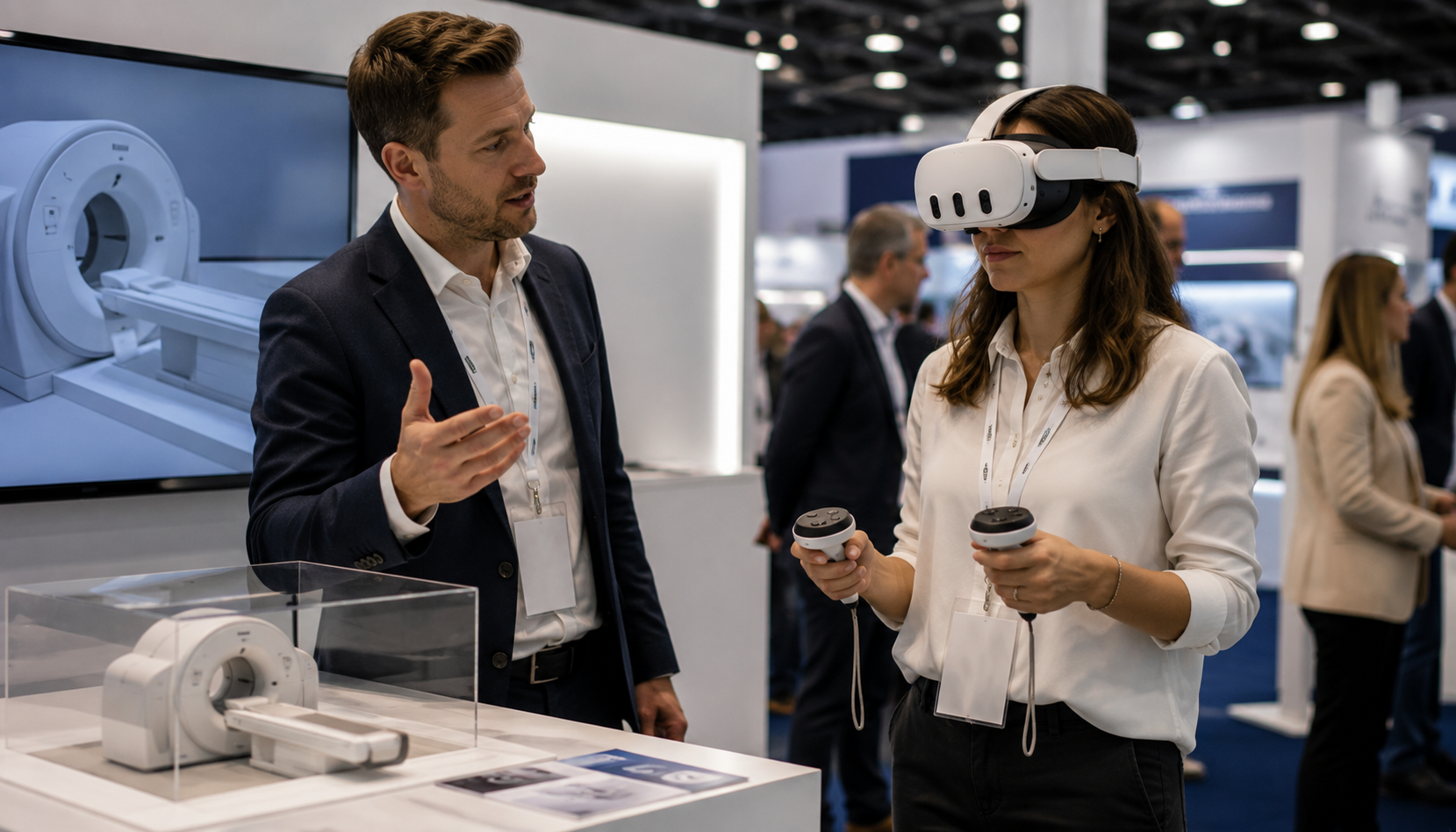
VR demos can be delivered in several ways. Headset-based experiences (such as the Meta Quest 3) offer the highest level of immersion and suit guided sales meetings, trade shows, and showroom environments. Web-based VR runs in a browser without a headset, making it accessible for self-guided exploration. The right choice depends on your audience, where the demo takes place, and how much guidance will be provided. More detail on each format is in the next section.
Step 4: Define what the experience should allow the user to do
A VR demo is interactive, not a video. Before briefing a development partner, map out what a user should be able to do inside the experience. Can they move around the product? Adjust settings? See it in a specific environment? Interact with specific features? The clearer this brief, the stronger the output. Focus on the elements hardest to communicate through other means.
Step 5: Select a development partner
Building a VR product demo requires a specialist. Look for a partner with a portfolio of product or commercial experiences (not just gaming), who creates 3D assets in-house, understands enterprise deployment, and can integrate with your existing sales tools if needed. Ask to see working demos rather than trailers, and confirm that full ownership of all assets and source code transfers to you on delivery.
Step 6: Integrate the demo into your sales process
The experience itself is only part of the picture. How it fits into the sales process determines whether it drives results. At which stage of the buyer journey will the demo be used? Will it be led by a sales team member, or explored independently? What conversation should it enable? The best results come when VR shifts conversations from feature explanation to specific, contextual questions, because the customer has already explored the product themselves.
Step 7: Measure, refine, and expand
Define what success looks like before you launch. Track engagement metrics such as session duration and interaction rate, and connect these to downstream outcomes: lead quality, sales cycle length, conversion rate, and return rates. Use what you learn to refine the experience over time. Most organisations that start with one focused use case expand into additional areas once they have proof of impact.
Choosing your delivery format
One of the most practical decisions a marketing team needs to make is how the VR experience will be delivered. The three main options each have distinct trade-offs.
Headset-based (standalone VR)
Devices such as the Meta Quest 3 provide the highest level of immersion. Users put on the headset and are fully inside the virtual environment. This format is particularly effective in one-to-one or small-group sales settings, at trade shows, and in showroom environments. It creates the strongest sense of presence and the clearest product understanding.
The trade-off is that headsets require physical equipment that needs to be managed, transported, and maintained. They also require some user onboarding, though modern standalone headsets are considerably simpler to use than earlier devices.
Web-based VR (no headset required)
Web-based immersive experiences run directly in a browser, typically on a desktop or tablet. While they offer less sensory immersion than a headset, they are far more accessible: a prospect can explore a product experience from their own device, without any specialist hardware.
This format works well for top-of-funnel discovery, pre-meeting preparation, or situations where physical distribution of headsets is not practical. Web-based experiences can also be faster and less expensive to produce. Research from Forrester suggests they can cost 70-80% less to develop than dedicated app-based experiences, while still delivering 65% of the engagement benefits.
Showroom and event installation
Some organisations build fixed or semi-permanent VR installations at their showrooms or at key event locations. This removes the logistical challenge of transporting equipment while providing a controlled, high-quality experience for visitors. It works well for organisations that regularly host customer visits or trade exhibition appearances.
Understanding the cost
Cost is one of the most common initial questions, and one of the hardest to answer without specifics. The range is wide because the scope of a VR product demo can vary considerably. As a general guide based on current industry pricing:
- Simple, focused VR product experiences: from approximately £15,000–£25,000
- Mid-complexity experiences with multiple environments and interactions: £40,000–£100,000
- High-complexity simulations (multiple users, real-time data integration, bespoke 3D assets): £100,000+
Unlike physical demonstrations, a VR experience is built once and used indefinitely. There are no per-demonstration travel costs, no equipment transport, no venue fees, and no dependency on specific personnel. The upfront development investment should be evaluated against the cost of the demonstrations it replaces over time, and that calculation consistently favours VR for organisations running regular product demonstrations.
Common mistakes to avoid
Several patterns consistently undermine the effectiveness of VR product demos. Understanding them in advance saves time and budget.
- Building for spectacle rather than communication. The temptation to create something visually impressive is real, but the goal of a product demo is clarity. An experience that is visually striking but does not help a customer understand the product faster or better has missed the point.
- Treating it as a one-off project. The most effective VR demos are refined over time based on real user feedback. Commissioning an experience and then considering it finished is a missed opportunity.
- Skipping the brief. The quality of a VR demo is directly tied to the quality of the brief it was built from. Vague objectives produce vague experiences.
- Ignoring motion comfort. Poorly designed VR experiences can cause disorientation. A good development partner will design for comfort as a default, but ask specifically how the experience handles movement, transitions, and pacing.
- Failing to integrate it into the sales process. A VR demo that sits in a corner and gets pulled out occasionally is not a sales tool. It needs a defined place in the buyer journey, with a clear purpose at each stage it is used.
How to measure whether your VR demo is working
Any VR product demo should be tied to measurable outcomes. The specific metrics will depend on how the experience is being used, but the following are the most widely tracked:
- Session duration: how long users spend inside the experience. Longer sessions generally indicate higher engagement and interest.
- Interaction rate: how many of the available interactions a user completes, indicating whether the experience is guiding users effectively.
- Completion rate: what percentage of users who start the demo finish it.
- Conversion rate: the percentage of users who move forward in the sales process after experiencing the demo.
- Return rate: for product purchases, whether customers who experienced the product in VR return it at a lower rate than those who did not.
- Sales cycle length: whether deals that included a VR demo closed faster than comparable deals that did not.
Establish baseline measurements before launching so that any change can be attributed clearly. The comparison between pre- and post-demo metrics is what builds the internal business case for continued investment.
VR product demos are an evolution of what product demonstration has always aimed to do: give customers the clearest possible understanding of a product so they can make a confident decision. The organisations seeing the strongest outcomes start with a single use case, learn from it, and expand from there.
Related Reading
Sources
- PwC UK: Study into the effectiveness of VR for soft skills training
- Intelemark: Leveraging Virtual Reality for B2B Sales Demos
- Fair Worlds: How Immersive Reality (AR/VR) Shortens the B2B Sales Cycle
- DesignRush: VR Development Cost - A Complete Breakdown for Businesses (2026)
- iFlexion: How to Measure the Performance of VR Marketing Campaigns
- TLG Marketing: VR Product Demo Strategies
- Reality Atlas: How to Choose an XR Development Partner
- KBMax: Virtual Reality in B2B Sales
Let's talk
Ready to build your VR product demo?
We design and develop VR experiences that help companies communicate complex products clearly. Tell us about your product and we'll explore what's possible.
Contact Us